Does Connecting Your Google Business Profile to Claude AI Affect Your Rankings? The Honest 2026 Answer for Agencies and Local Brands
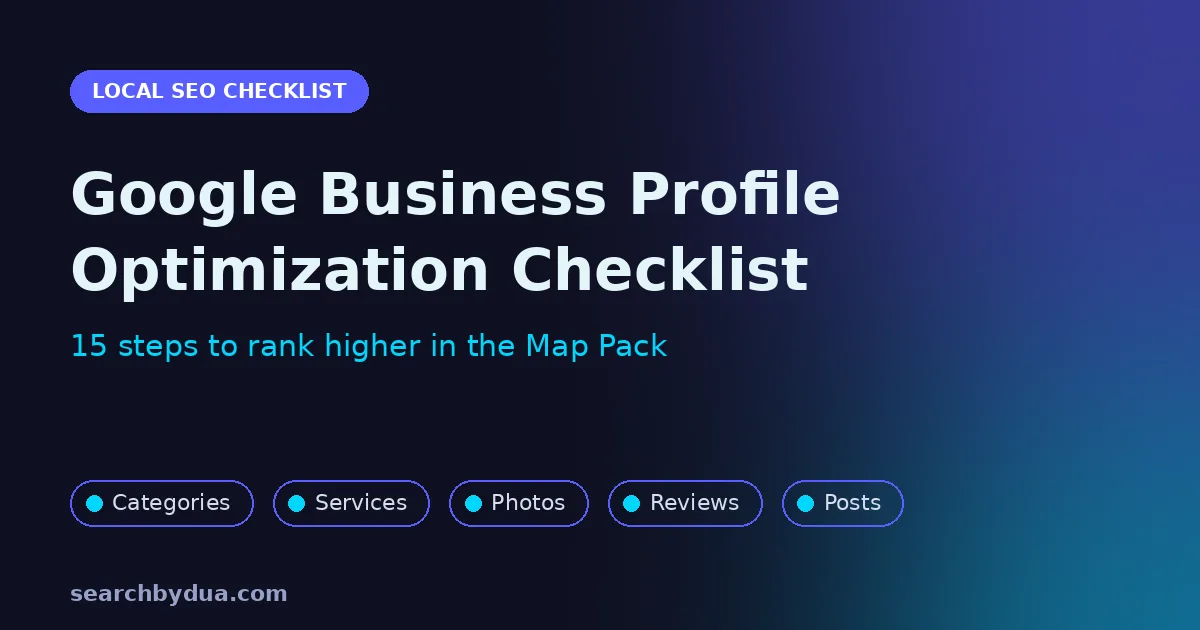
Your Google Business Profile is often the first thing a local customer sees, long before they visit your website. When someone searches for a service near them, the three businesses in the Map Pack collect most of the calls, direction requests and bookings. This Google Business Profile optimization checklist covers the 15 steps that decide whether you appear there or stay invisible.
Work through it in order. The first group builds a correct foundation, the second makes your profile more complete than your competitors, and the third builds the trust signals Google uses to choose who ranks first.
Part 1: Build a Correct Foundation
1. Claim and verify your profile
Search for your business on Google Maps. If a profile already exists, claim it. If not, create one at business.google.com and complete verification. An unverified profile cannot rank reliably, and anyone could suggest edits to it.
2. Use your real business name
Your profile name must match the name customers see on your signage, website and documents. Adding keywords or locations to the name might seem like a shortcut, but Google’s guidelines for representing your business prohibit it, and competitors can report it. A suspended profile loses all of its rankings and reviews overnight.
3. Choose the right primary category
Your primary category is one of the strongest local ranking signals. Pick the category that completes the sentence “this business is a”, not one that describes something you merely offer. Google recommends using as few categories as possible to describe your core business, so add secondary categories only when they genuinely apply.
4. Set your address or service area accurately
If customers visit you, show your exact address. If you travel to customers, hide the address and set a service area that reflects where you actually work. Virtual offices and P.O. boxes are not allowed and are a common reason for suspensions.
5. Keep your hours accurate, including holidays
Wrong hours lead to frustrated customers and negative reviews. Add special hours for public holidays and seasonal changes so your profile is never out of date.
6. Add your phone number and a trackable website link
Use a local phone number that you answer during business hours. For the website link, add simple UTM tracking parameters so you can see exactly how many visits and leads come from your profile in Google Analytics.
Part 2: Make Your Profile More Complete Than Competitors
7. Write a helpful business description
Explain who you help, what you do and where you work, in plain language. Mention your main services naturally. Avoid links, promotional claims and repeated keywords, because the guidelines treat these as low quality content.
8. List every service you offer
Add each service separately with a short description. This helps Google match your profile to specific searches, not just your main category. If you sell products, add them with clear photos and prices where possible.
9. Upload real photos regularly
Profiles with fresh, genuine photos look more trustworthy and earn more engagement. Upload your logo and cover photo, then add photos of your exterior, interior, team and finished work. Add a few new photos every month instead of everything at once.
10. Fill in every relevant attribute
Attributes such as online appointments, wheelchair access or women owned business help customers choose you and help Google match you to filtered searches. Select every attribute that is true for your business.
11. Publish Google posts consistently
Posts let you share offers, updates and events directly on your profile. A short post every week or two shows Google and customers that your business is active. Link each post to the most relevant page on your website.
Part 3: Build Trust Signals That Win the Map Pack
12. Ask every happy customer for a review
Reviews influence both rankings and the decision to call you. Create a short review link from your profile and send it by message or email right after a successful job. Never offer incentives for reviews or post reviews yourself, because both break Google’s rules.
13. Reply to every review
Thank positive reviewers by name and mention the service they used. Respond to negative reviews calmly, take responsibility where appropriate, and offer to resolve the issue privately. Future customers read your replies as closely as the reviews themselves.
14. Keep your name, address and phone number consistent everywhere
Google cross checks your details against directories, social profiles and local websites. Even small differences in spelling or phone format create doubt. Audit your listings and build consistent citations, which is exactly what our local SEO backlink services are designed for.
15. Connect your profile to a strong local page and track results
Your profile ranks better when it links to a fast, helpful page that clearly matches your main service and location. Then check the Performance section of your profile every month to track calls, direction requests, website clicks and the searches that found you.
Common Google Business Profile Mistakes to Avoid
- Stuffing keywords or city names into the business name
- Choosing a broad category instead of the most specific accurate one
- Using a virtual office address or a shared coworking address you do not staff
- Ignoring reviews, especially negative ones
- Letting the profile go months without new photos or posts
- Listing different phone numbers or addresses on different websites
If your business does not appear on Maps at all, start with our guide to why your business is not showing up on Google Maps.
How Long Until You See Results?
Profile changes such as categories, services and photos are usually picked up within days to a few weeks. Ranking improvements in the Map Pack typically build over two to three months as reviews, citations and engagement grow. For the bigger picture, read our guide on how long SEO takes to show results.
As a real example, a non profit we worked with went from no online presence to 4 to 8 organic leads a day within six months by combining Google Business Profile optimization with local SEO. The full story is in our local SEO case study.
Frequently Asked Questions
Is Google Business Profile free?
Yes. Creating and managing a Google Business Profile is free. The investment is the time it takes to complete it properly and keep it active.
Does my website affect my Google Business Profile ranking?
Yes. Google looks at the page your profile links to and at your overall website authority. A well optimized website with clear local content supports stronger Map Pack rankings. Our guide on what local SEO services include explains how the two work together.
Can AI tools like ChatGPT see my Google Business Profile?
AI assistants increasingly recommend local businesses, and they rely on consistent, trustworthy information across the web. A complete profile with strong reviews supports that visibility. We cover this in detail in our ChatGPT local SEO framework.
Want Us to Optimize Your Profile for You?
Following this checklist puts you ahead of most local competitors. If you would rather have experts handle it, our local SEO and Google Business Profile optimization service covers every step above, plus citations and monthly reporting. Start with a free SEO audit or book a strategy call.